Windows Server 2016 Loses Support in January 2027
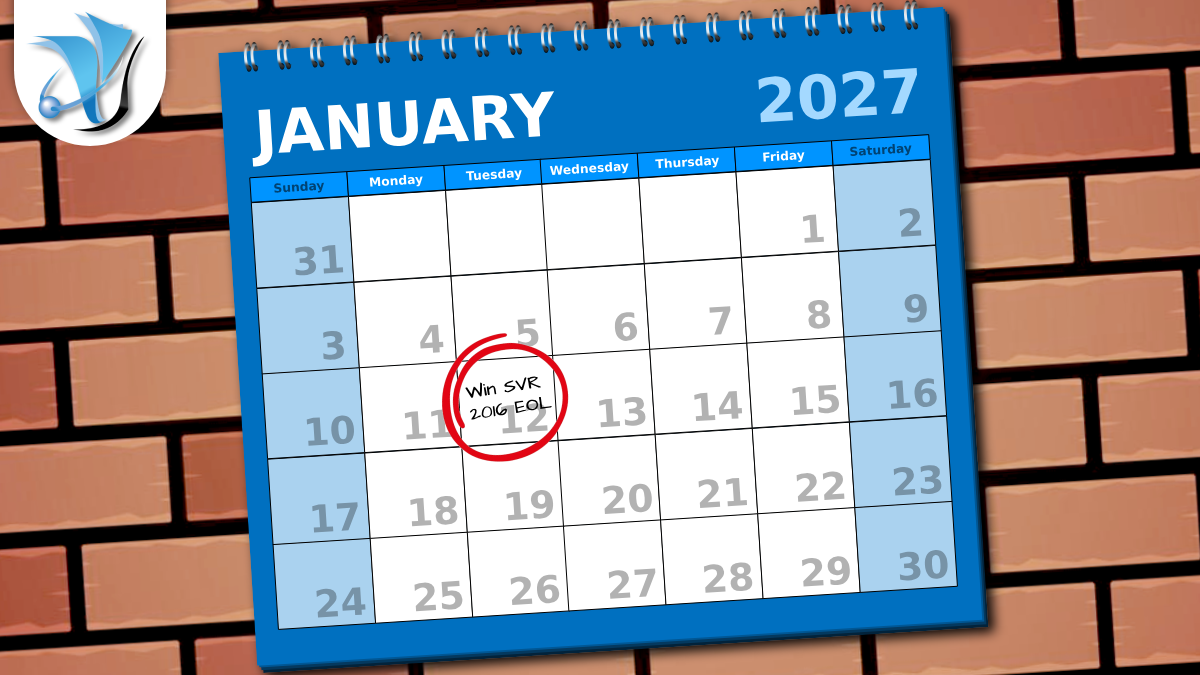
Microsoft’s extended support for Windows Server 2016 ends on 12 January 2027. After that date, Microsoft will stop releasing security patches for the operating system. Any new vulnerability discovered from that point onwards will remain permanently unfixed unless you have upgraded.
Six months sounds like a long runway, but server migrations for small and medium-sized businesses rarely happen quickly. Scoping the work, getting budget approved, procuring hardware or cloud resource, testing application compatibility, and completing the cutover without disrupting operations can easily take four to six months. For businesses still running Server 2016, now is the time to start planning.
What is Windows Server 2016 and why does the date matter?
Windows Server 2016 was released in 2016 and became one of the most widely deployed server operating systems for small and medium-sized businesses. It is a solid, mature platform that many organisations have run reliably for close to a decade. Microsoft gives its server products ten years of total support — five years of mainstream support (during which new features are added) and five years of extended support (security patches only). Server 2016’s extended support window closes in January.
When extended support ends, Microsoft stops issuing security patches. That matters for three practical reasons:
Security. Any vulnerability discovered after 12 January 2027 will not be fixed. Attackers know exactly when operating systems fall out of support and actively target unpatched servers because they represent a permanent, unfixable entry point. End-of-life servers are consistently among the most common starting points for ransomware attacks and data breaches affecting SMBs.
Compliance. Businesses working towards Cyber Essentials certification, ISO 27001, or operating under sector-specific regulation (legal, financial, healthcare, and so on) are generally required to run supported software. Running an unsupported server after January 2027 could put certifications and contracts at risk.
Cyber insurance. Insurers are increasingly scrutinising the software estate when businesses apply for or renew cyber insurance. Policies sometimes contain clauses that allow a claim to be reduced or declined if a breach involves a system that was running unsupported software at the time.
What are your options?
Upgrade to Windows Server 2022 or 2025
The most straightforward path for most businesses is to deploy new server infrastructure running a current version of Windows Server. Windows Server 2025 is the latest release and carries extended support through to 2034, giving you a solid decade before the next equivalent conversation. Windows Server 2022 is also a strong choice and is supported until 2031.
In most cases this means deploying a new server (physical or virtual) and migrating your workloads and data across, rather than upgrading in place. This approach is lower risk and gives you the opportunity to tidy up the configuration at the same time.
In-place upgrade
If your Server 2016 installation is straightforward and your applications are known to be compatible, an in-place upgrade to Server 2022 or 2025 is technically possible. We would always recommend testing this in a non-production environment first, as some legacy applications do not survive an upgrade intact. For businesses where the server role is simple — file sharing, print services, or a small business application — an in-place upgrade is often the quickest route.
Migrate workloads to the cloud
If you have been thinking about moving server workloads off-premises, an end-of-support date is a natural trigger point. Cloud hosting removes the need to manage physical hardware, simplifies disaster recovery, and can improve availability. Microsoft’s Azure Hybrid Benefit allows businesses with existing Windows Server licences to apply those licences to equivalent Azure virtual machines, which can substantially reduce the cost of a cloud migration.
Extended Security Updates — only as a last resort
Microsoft offers Extended Security Updates (ESUs) after the end-of-support date. These provide critical security patches only, for up to three additional years. They are not cheap: the cost starts at roughly three-quarters of the original licence cost per year and roughly doubles each subsequent year. ESUs are a short-term bridge for businesses where a legacy dependency makes immediate migration impossible. They are not a permanent solution, and they do not address the performance, compatibility, or compliance implications of running an ageing operating system.
What should you do now?
The most useful thing you can do today is get a clear picture of where you stand:
- Identify which servers in your estate are running Windows Server 2016. If you are not certain, your IT provider should be able to tell you.
- Document what roles and applications each Server 2016 machine is running. This determines whether an in-place upgrade is viable or whether a fresh deployment and workload migration is the better path.
- Check whether any applications running on Server 2016 have specific operating system requirements that could affect compatibility with Server 2022 or 2025.
- Decide whether you want to stay on-premises, move to a hosted or cloud environment, or adopt a hybrid approach.
- Set a realistic internal deadline for completing the migration — we would suggest targeting completion by November 2026 to give a comfortable buffer before the January deadline.
How System Force IT can help
We manage server infrastructure for businesses across Gloucestershire and the wider UK. We can audit your server estate, identify all machines approaching end of life, and put together a migration plan that minimises disruption to your business. Whether the right answer is new on-premises hardware, a move to Azure, or a hybrid setup, we will make sure the transition is handled properly and well before the January deadline.
You can read more about our IT support and maintenance services and our cloud systems offering. If you are concerned about your current server estate or would like us to carry out an audit, get in touch and we will arrange a time to talk. You can also read about our approach to IT security and how keeping your infrastructure current is one of the most effective things you can do to reduce your risk.
Stay one step ahead of the threats
Get our free weekly IT and cyber security briefing for UK businesses. The same threat and policy round-up we send our own clients, straight to your inbox. No spam, unsubscribe any time.
Get the free weekly briefing →Table of Contents
Would you like to know how we can help?
Get in touch